
Custom Text Field Validation With Regular Expression (Advanced)
Custom validation allows you to set requirements for the data your recipients enter into text fields.
For instance, you can use custom validation to set a field's maximum character limit, require a percentage to be entered in decimal format, or restrict or capture data more precisely.
Setting Custom Validation for Text Fields
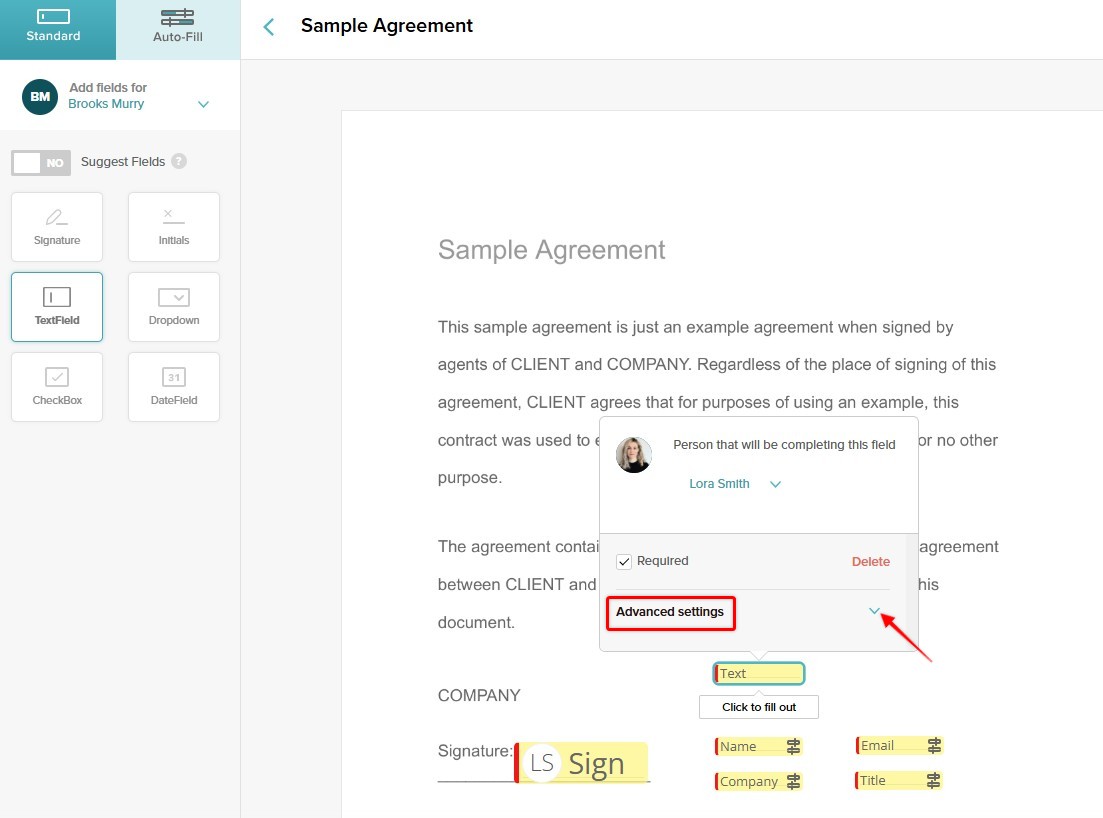
To utilize these settings, add a text field to your document and click on the "advanced" settings for the field:
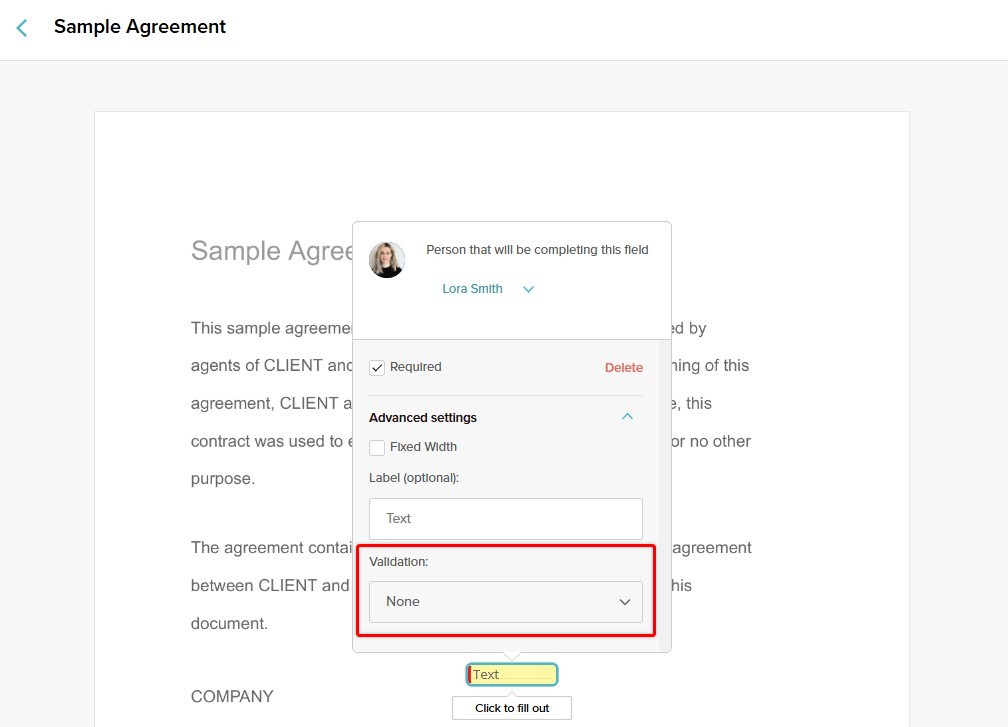
At the bottom of the advanced settings options, you'll see "Validation":
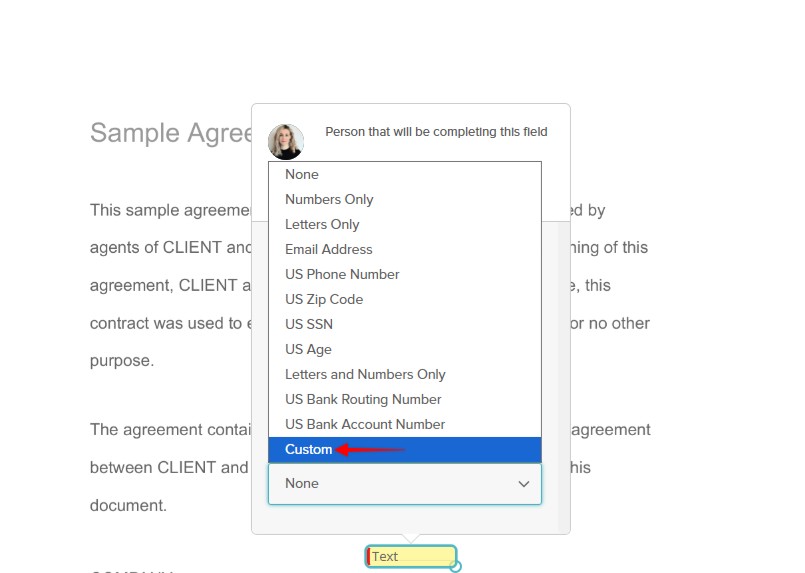
Click on the drop-down menu and select Custom validation for your text field:
In the Custom Validation Settings, you will need to enter a Regular Expression or Regex pattern (see examples further below) that acts as a rule for the text field and checks whether the recipient enters the correct data:


This ensures that your recipient enters data specific to the validation requirements you have set.
Common Regex Pattern Examples
The following are examples of common Regex patterns:
| Regex Pattern | Meaning |
|---|---|
^.{1,16}$ |
Limits input to a maximum of 16 characters |
^0(\.\d+)?$|^1(\.0+)?$ |
Requires a percentage to be entered in decimal format (e.g., 0.75 for 75%) |
^\d{3}-\d{2}-\d{4}$ |
Validates U.S. Social Security Numbers (XXX-XX-XXXX) |
^(?:4[0-9]{12}(?:[0-9]{3})?|5[1-5][0-9]{14}|3[0-9]{13}|6(?:011|5[0-9][0-9])[0-9]{12})$ |
Validates common credit card numbers |
^(?:0[1-9]|[12][0-9]|3[01])\/(Jan|Feb|Mar|Apr|May|Jun|Jul|Aug|Sep|Oct|Nov|Dec)\/\d{4}$ |
Requires a date in DD/Month/YYYY format |
To see other common Regex patterns or learn how to create one, navigate to:
- https://rubular.com/
- https://developer.mozilla.org/en-US/docs/Web/JavaScript/Guide/Regular_expressions
- https://regexone.com/
- https://www.keycdn.com/support/regex-cheat-sheet
Testing Your Regex Pattern
To ensure that your regex pattern is valid and working, you can use a regex tester:
- https://regex101.com/
- https://www.debuggex.com/
Do you still have questions? Contact us at support@signwell.com.