
Save Completed Documents to Box
The Box integration can automatically save completed signed documents back to your connected Box account.
This helps keep copies of your signed PDFs in Box without having to download them from SignWell and upload them manually.
How saving to Box works
Once all recipients have completed a document, SignWell creates the final signed PDF.
If Box saving is enabled, SignWell uploads that completed PDF to your connected Box account.
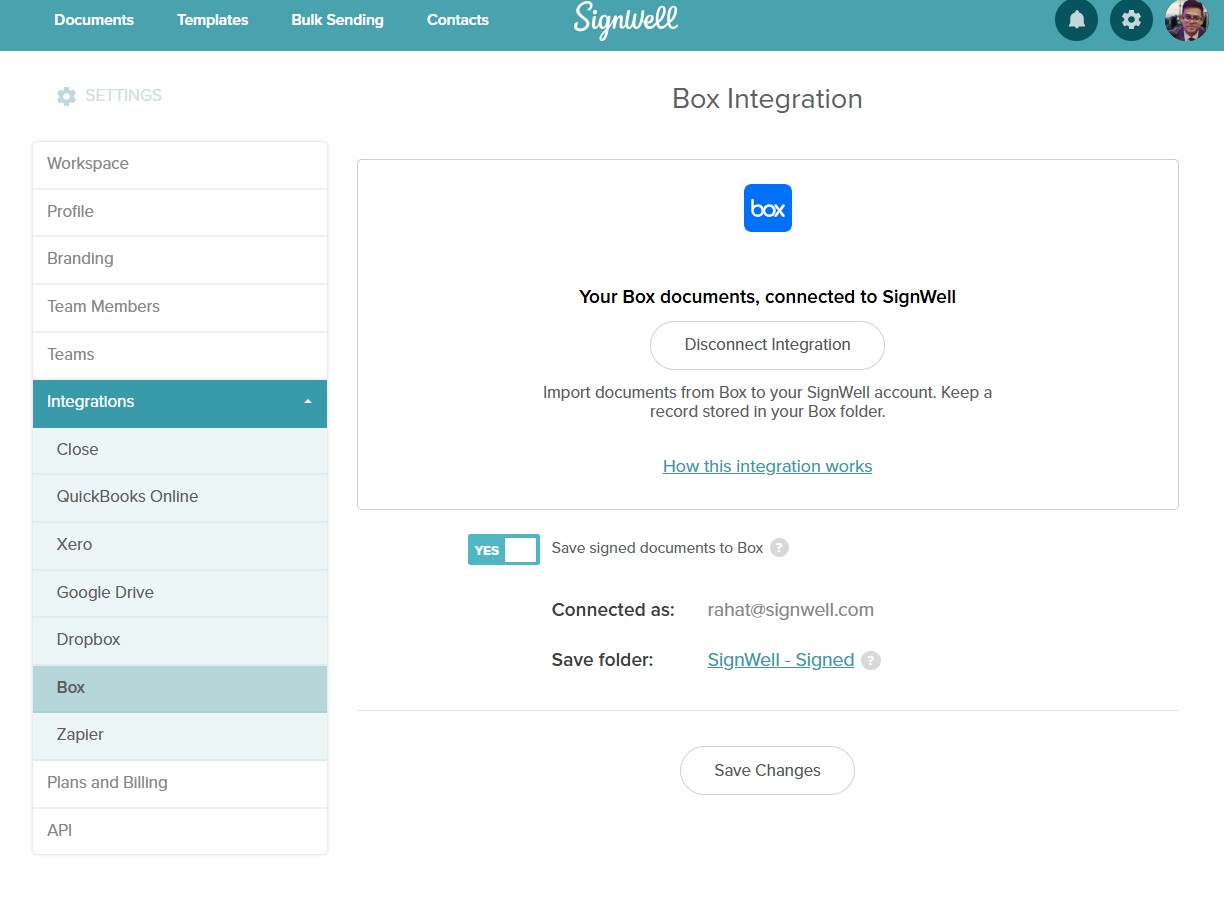
By default, completed documents are saved in a folder named:
SignWell - Signed
You can also choose a different Box folder from your Box integration settings.
When documents are saved
A document is saved to Box only after it is fully completed by all required recipients.
Documents are not saved to Box if they are:
- Voided
- Declined
- Expired
- Canceled before completion
- Deleted before completion
The completed signed PDF remains available in SignWell as usual.
File name format
Completed documents are saved as PDF files.
The file name may include the document name and signed or completed date so it is easier to identify in Box.
If a file with the same name already exists in the selected Box folder, SignWell will avoid overwriting the existing file.
Turn Box saving on or off
To manage Box saving:
- Go to Settings.
- Select Integrations.
- Choose Box.
- Turn completed document saving on or off.
Turning Box saving off prevents future completed documents from being saved to Box. Files that were already saved to Box remain unchanged.
Turning Box saving back on only affects future completed documents. It does not automatically backfill documents that were completed while saving was turned off.
Change the Box save folder
To change where completed signed PDFs are saved:
- Go to Settings.
- Select Integrations.
- Choose Box.
- Select or change the save folder.
- Save your changes.
Changing the save folder only affects future completed documents. Previously saved files are not moved.
What happens if saving to Box fails
If SignWell cannot save a completed PDF to Box, the signed document still remains available in SignWell.
Saving may fail if Box is disconnected, the selected Box folder is no longer available, your Box permissions changed, or Box cannot accept the upload.
If this happens, SignWell will notify you so you can reconnect Box or update your Box save folder.
Important note
Box saving does not replace the completed document in SignWell. The signed PDF remains available in SignWell as usual.
If you have any questions, please feel free to contact us at support@signwell.com.